
When things stay the same
Today we’re taking a look at what’s likely going to be the most popular of Intel’s 10th generation H-series processors, the Core i7-10750H. This six-core processor is the successor to the very popular Core i7-8750H and Core i7-9750H, which are almost the universal choice for gaming laptops in the $1,000 to $1,800 range, and often take a lead role in productivity-focused 15-inch ultraportables as well.
This isn’t the only Core i7 processor in Intel’s Comet Lake line-up. There are a few other options including the new 8-core Core i7-10875H that we reviewed a few weeks ago, but judging by previous generations, anything above the 10750H will typically be restricted to premium options, while the Core i5s you see here – which amazingly are still quad cores – are destined for the most basic entry-level designs.
Going into this review though, there was one key question that I kept asking myself: is the Core i7-10750H actually any better than the 9750H or the 8750H that came before it? After all, they’re all based on a similar Skylake-derivative architecture, built using the same 14nm technology, and all pack 6 cores within a default 45W power envelope. Without any major enhancements to the underlying technology, can the third iteration of this processor actually offer anything new?
No doubt, that’s what we’ll be finding out today with a comprehensive comparison of the 10750H to the 9750H and 8750H, along with a look at how it stacks up to AMD’s newly minted competitor in this price range, the eight-core Ryzen 7 4800H. This review will be focused on productivity performance and then we’ll tackle gaming in a separate article that we’re preparing because there are a few interesting things going on with this latest generation of GPUs as well.
Let’s briefly return to the spec chart to have a look at the Core i7-10750H and what we are getting. The basic specs are six cores and twelve threads, a 45W default TDP and 12 MB of L3 cache, same as the last two generations.
What has increased is memory support, now up to DDR4-2933, as well as clock speeds. The base remains at 2.6 GHz, however boost clocks have increased to 5.0 GHz for single-core Turbo with Thermal Velocity Boost, meaning we’ll hit that frequency when the processor is running at below 65C. At higher temperatures, which most laptops run at, that frequency will drop by 200 MHz to sit at a 4.8 GHz Turbo. That’s still a 7% increase on the 4.5 GHz Turbo the Core i7-9750H provided.
All-core turbos have also increased, now at 4.3 GHz, up from 4.0 GHz, however we believe this is influenced to some degree by Thermal Velocity Boost. In practice, we saw all-core turbos around the 4.1 to 4.2 GHz mark on most occasions, and sustained frequencies are naturally much lower than this, don’t expect your 10750H CPU to just sit at 4.3 GHz on all cores all the time.
Test Setup: MSI GS66 Stealth
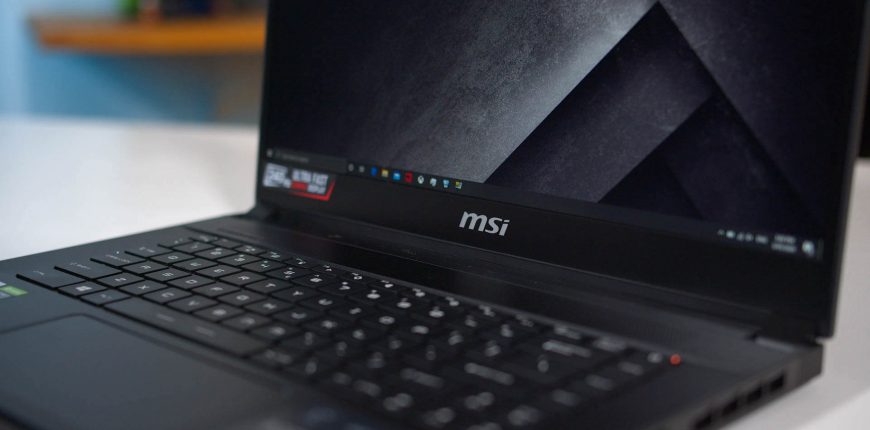
The test system for today’s review is the MSI GS66 Stealth. This awesome laptop came packing the i7-10750H along with an RTX 2060 discrete GPU configured at 80W. There’s also 16GB of dual-channel DDR4-2666 by default (which we swapped to DDR4-2933 to make the most of the CPU), a 512GB SSD, and a 1080p 240Hz display which is pretty nice.
We’re huge fans of the MSI GS Stealth range. We think they look great and this is no exception. We won’t review this laptop in full today, but we can tell you it’s got a very nice chassis, great display, huge 99.9 Wh battery, and generally decent keyboard. This remains one of my favorite ultraportables from a design and functionality standpoint.
In terms of performance and power limits we’re not getting top hardware capabilities given the slim and light design. The CPU can easily run at the default 45W limit, but tops out around 53W maximum with the Turbo modes. We’ve seen some thicker designs do up to 70W or more. The GPU is fine sitting at 80W though, no concerns there.
The CPU only topping out at 53W in the CoolerBoost mode is basically irrelevant though for this testing, as we run all CPUs using stock settings, so in this case for the Core i7-10750H that’s a 45W long term PL1 power limit. The MSI GS66 was configured to use a huge 135W short term PL2 out of the box, however in practice we didn’t see the CPU go over 70W very often. Still, this is a bit higher than the 56-60W we normally saw with 9750H systems.
The reason why we use stock settings and similar power limits is so we can compare processor performance at a given power level. Unlike with desktops, power consumption is crucial in laptops: more power hungry parts require larger coolers and therefore larger laptops. Comparing chips on an equivalent power level allows us to see how they would perform in an equivalent type of design. The more a CPU can do within a certain power limit, the more efficient it is, and the more you can do with a smaller, lighter design.
This is naturally one of the many challenges with laptop testing, it’s quite hard to get apples-to-apples comparisons given the differences in configurations, so we try our best to put everything on an even playing field. The following performance charts contain averages from equivalent hardware configurations to provide a generalized look at performance from a given CPU. You can see here the full list of laptops we tested.
One last quick note about undervolting before we head to benchmark results. As we discussed in our Core i7-10875H review, more OEMs are locking down undervolting this generation, likely to prevent Plundervolt exploits. This was the case on the MSI GS66 Stealth. You may re-enable undervolting through the advanced options in MSI’s BIOS though.
For full article, click this link.


Leave a Reply