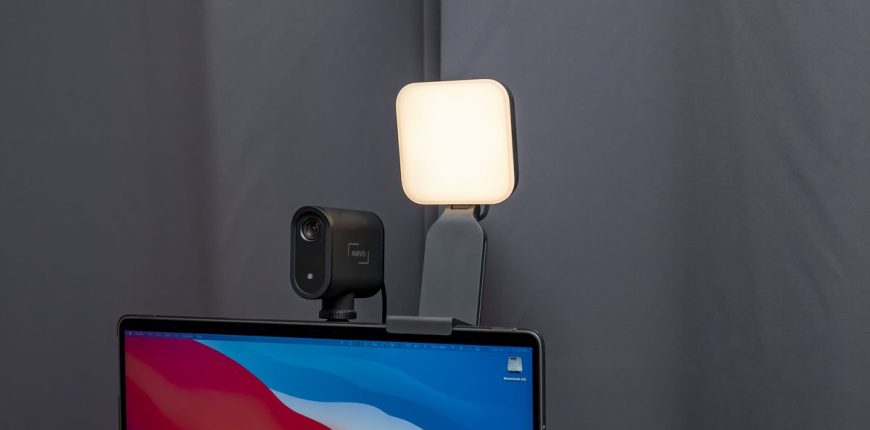
The compact light delivers big features and a stellar design to make you look your best on your next webcam chat or livestream.
It seems like everyone became a content creator in the past couple of years. Those who didn’t start showing off dance moves on TikTok or how-to skills on YouTube at least started spending a whole lot more time on a webcam for work or video chats with friends and family. And the lighting was terrible.
Even if you went and got an inexpensive ring light (I did), it may have turned into too much of a hassle to set up and use for regular Zoom calls or Teams meetings. I had to regularly work in different rooms of my house so setting up a large ring light every time I moved was a pain. That’s why the Litra Glow is the right light at the right time.
At $60 (£59, AU$90), it costs slightly more than the ring light I have, but it has so much value packed into it that it’s more than worth the extra expense. A lot of the value is in the mount. It hooks right onto the top of a monitor — from a thin laptop display to an external monitor up to about 1.5 inches thick. The monitor clip folds down for storage, too.
Josh Goldman/CNET
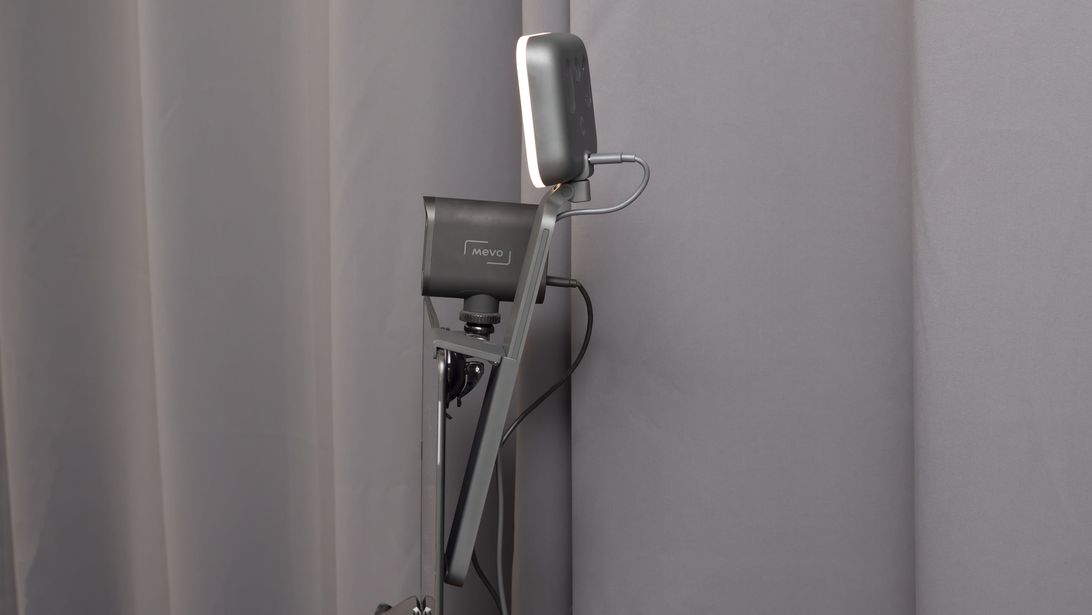
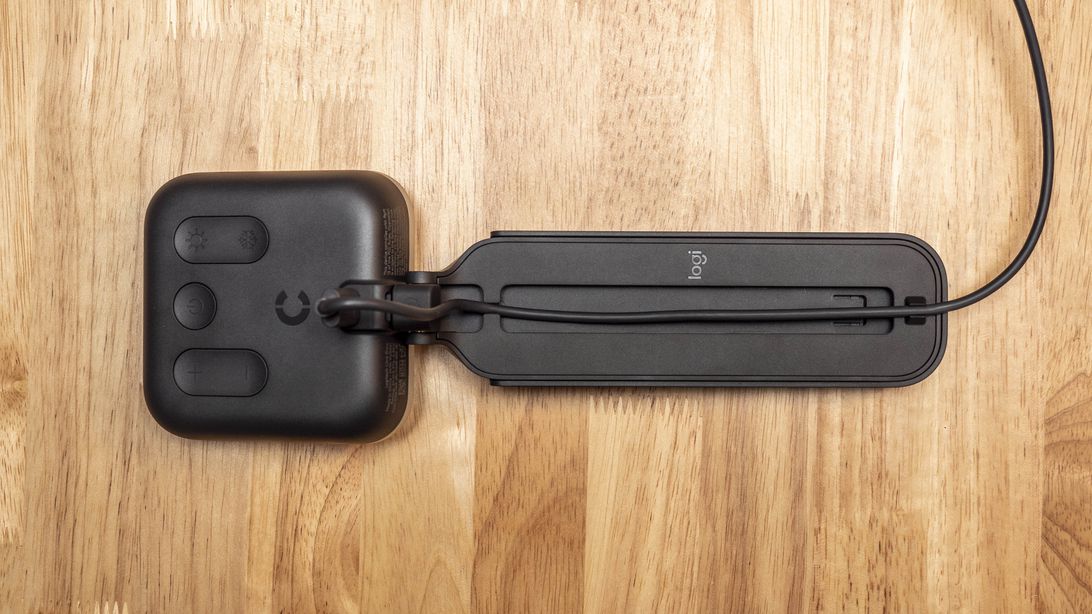
Gently pulling up on the light extends the mount vertically up to 4 inches. The mount also tilts and swivels the light so you can get the right position. I wear glasses so this feature lets me get the right angle to light my face without the light reflecting in my glasses, or blinding me for that matter. The mount also has cable management clips on the back for the included removable USB-C-to-USB-A cable used to power the Glow.
The mount design makes it perfect for anyone who needs an LED light for travel, even if it’s only to a different room of your house. Plus, if for some reason you want to use the light and not the monitor mount, the Glow is attached by a standard tripod mount so you simply unscrew it to separate them.
Josh Goldman/CNET
There are big controls on the back of the light that are easy to find and use without looking. The Glow has five levels of brightness as well as five color temperatures to choose from. Plug the light in, turn it on, adjust the light for your needs and you’re good to start streaming. It can be powered by your computer or an external power source like a phone charger or power bank. However, if you plug it into your computer, you can unlock more features with Logitech’s G Hub app.
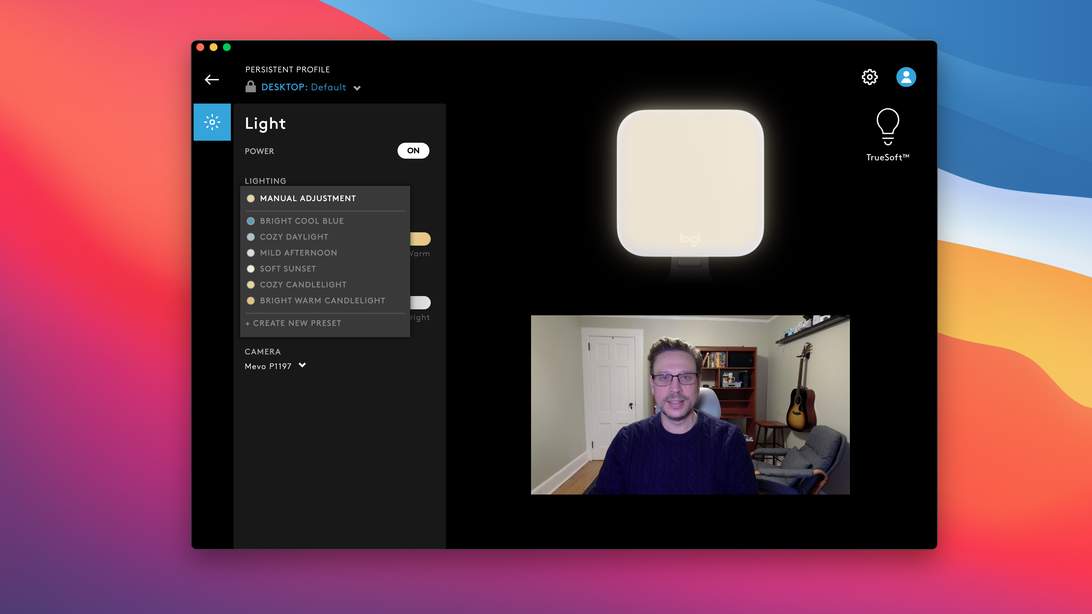
G Hub is the app used for Logitech’s G gaming keyboards, mice, speakers, headsets and webcams. Plug in the Litra Glow and G Hub will recognize and add it to your list of devices. Select it and you can manually change brightness and color temps with sliders. If you have one or multiple cameras connected to your computer, the app has a drop-down menu to select and preview the picture from each camera.
Josh Goldman/CNET
Logitech included a handful of presets for color and brightness to experiment with different looks. The app also makes it possible to create presets if you land on a combo you really like. Plus, if you have a Logitech G keyboard or mouse, you can assign controls for the light to buttons. That way you can turn on the Glow and select the appropriate lighting without opening the app or touching the light itself.
The Litra Glow’s LEDs cover a color temperature range from 2,700 to 6,500 Kelvin and have a maximum output of 250 lumen, which Logitech says is optimized for desktop streaming. The light uses Logitech’s TrueSoft technology designed for full-spectrum light with cinematic color accuracy and the Glow has a Color Rendering Index (CRI) score of 93 out of 100.
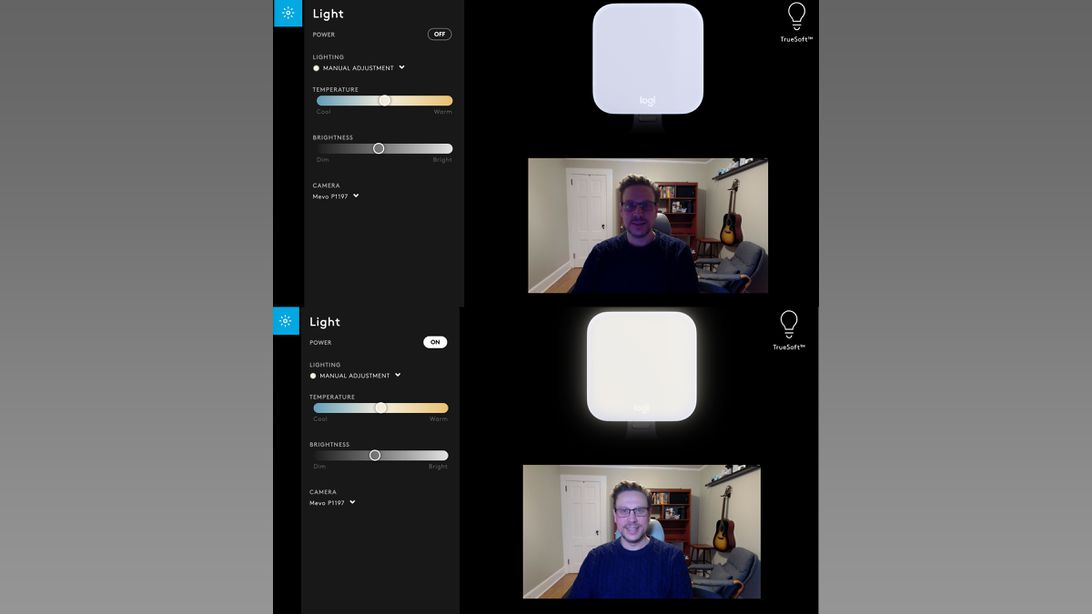
The Glow does output a lot of light. In the pictures above, the preview video in the G Hub app on top is with the Glow off. The bottom is the preview with the Glow on and I’m approximately three feet from the camera. And that’s at about half power. At full strength, it is powerful enough to light up most of the room in the picture. Still, Logitech says the light is designed to be safe for all-day use and is UL verified to present no photobiological hazard at 12 hours of exposure.
Good lighting for video isn’t easy to do without some help. Whether you’re shrouded in shadows, backlit by a sunny window, blown out from bright overhead room lights or awash in image noise from not having enough light for your webcam, the Logitech Litra Glow can help all of those situations and more. (Although, there’s only so much you can do to improve the picture quality from a built-in laptop webcam so you might consider improving that separately.)
Credits: Joshua Goldman
Source: Cnet.com
Featured Image: The Litra Glow has a clever mount that works on your laptop display or external monitor. | Josh Goldman/CNET